
Show your work, explain your packages, take the booking.
By Shaf Shadaab · Published · Updated
Your inquiries arrive from Instagram, referrals and your inbox, and they tend to ask the same three questions: can I see your work, what do you charge, and are you free.
With PitchPage, you can answer all three on one page: a portfolio or package walkthrough, your availability, and a way to move forward.
How can you answer inquiries as a photographer or creative?
You answer the three inquiry questions — can I see your work, what do you charge, are you free — on one PitchPage with your video, your consultation calendar and a way to book.
You should not have to rewrite the same reply for every inquiry. And when your portfolio, a PDF price list and a scheduling link arrive separately, your client has to work to hire you.
- Your portfolio links, price lists and calendar live apart.
- You type the same reply out again for every inquiry.
- Your package explanations land as a wall of text.
- Your retainer and deposit links come later, in another email.
An example workflow
How do you build a page for photographers and creative professionals?
In three steps: record the walkthrough, then build a page per offer, then reply with a link.
- 1
Record the walkthrough
Upload a showreel, or screen-record a narrated walk through your portfolio or package options in PitchPage, so clients hear how you work rather than reading a rate card.
- 2
Build a page per offer
One page for weddings, one for brand shoots, one for a specific client — each with the right video and consultation calendar.
- 3
Reply with a link
Answer every inquiry with the matching link. Your clients can watch, pick a consultation slot, and take the next step themselves.
What goes on a page for photographers and creative professionals?
One video, one booking calendar and a greeting of up to 120 characters, plus a next-step button on Pro.
- Portfolio or package videoAn uploaded showreel, or a narrated walkthrough of recent work or what each package includes.
- Consultation bookingYour existing scheduling link for inquiry calls.
- Your visual identityOn Pro, your brand color and custom background, without the PitchPage badge.
- Retainer or deposit linkOn Pro, a button to your external checkout or contract.
What does an example page look like?
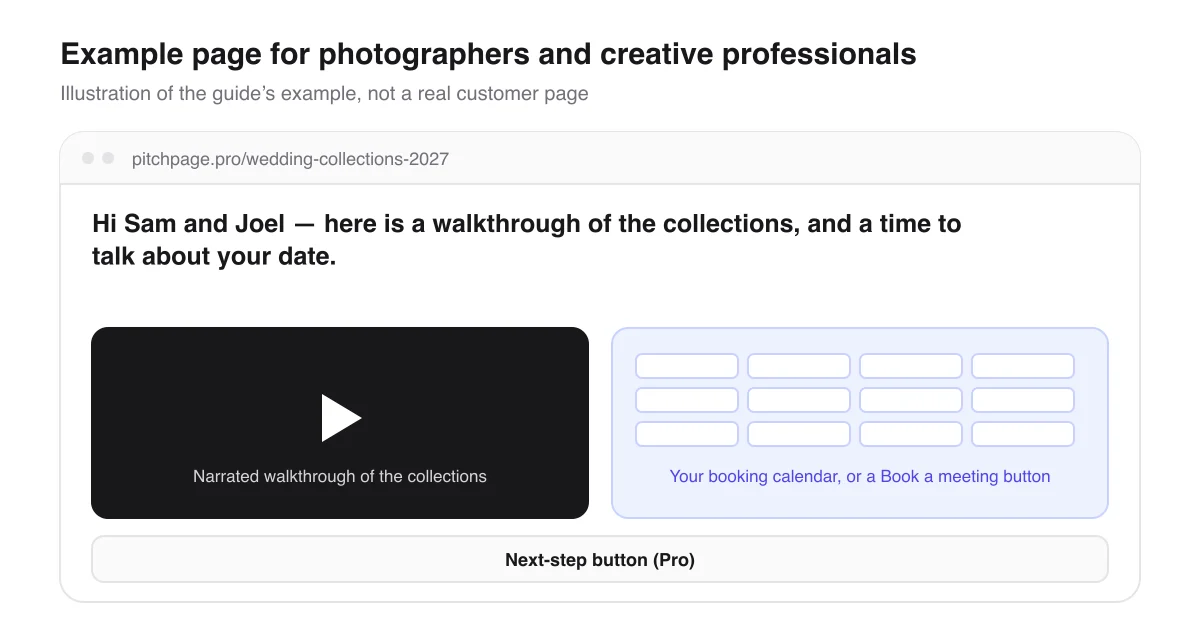
Say a couple asks about wedding dates. Instead of typing your usual reply, you send pitchpage.pro/wedding-collections-2027: a page with a narrated screen recording of your collections and the greeting “Hi Sam and Joel — here is a walkthrough of the collections, and a time to talk about your date.”
They watch the walkthrough together and book a consultation from the same page. On Pro, a button under the calendar can take them to your contract or retainer checkout.
Page title
Wedding collections — 2027 dates
Hi Sam and Joel — here is a walkthrough of the collections, and a time to talk about your date.
An illustrative example of how this use case fills in the page — not a real customer page.
What should you know before you start?
A few limits, so the page does what you expect for photographers and creative professionals.
Video and pages
- PitchPage shows one video per page and is not a photo-gallery builder. Show your work inside the video, or use the Pro button to link to your gallery.
- The video can be recorded in PitchPage, uploaded as a file of up to 5 minutes, or a Loom or YouTube link.
- Make a page per offer — weddings, brand shoots, a specific client. The trial allows 3 pages; Pro has no limit.
Payments and branding
- Retainers and deposits are paid in your own checkout or contract tool. PitchPage only links to it and never sees the payment.
- Your brand color, a custom background and a page without the PitchPage badge are Pro features, all included in the 7-day trial.
Questions photographers and creative professionals ask
Can I show a gallery on the page?
Not as a gallery. The page holds one video, so show your recent work in it — a showreel or a narrated walk through the gallery — or link to your gallery with the Pro button.
Can a client pay a retainer from the page?
They can follow the Pro button to your own checkout or contract. PitchPage does not process the payment.
Can I send the link in an Instagram message?
Yes. It is a normal link, so it works in Instagram and other direct messages, in email and in texts.
Can I put the page on a business card or at a wedding expo?
Yes, with a QR code. During the trial and on Pro, you can download a QR code for any published page as a PNG or SVG. Name a campaign, like business-cards, and Analytics shows the visits that came from that code.
What does it cost?
You pay $25/month for PitchPage Pro and can make unlimited pages, after a 7-day free trial that needs no card. The trial never turns into a paid plan on its own.
Where do the details about other tools come from?
What this guide says about embedding booking calendars and videos comes from each tool’s own documentation.
Build your first page
Put your video, your booking calendar and your next step on one link. Try PitchPage Pro free for 7 days — no credit card — then subscribe for $25/month when you are ready.
Start 7-day free trialOther ways people use PitchPage
Deciding between this and plain links? Compare PitchPage with sending a Loom link plus a Calendly link, or see how it compares with ViteLnk, Loom and Vidyard.